888 484 0039
 info@halodesignacademy.com
 888 484 0039



Mansoor
Package designer · 35,000 per month

I wanted to switch my career into something creative and Halo design academy make this career transition smooth.


Want to upgrade your skillset in a short period of time? Illustrator is exactly what you are looking for. Learn to create logos, corporate collaterals, print promotionals in vector graphics using Adobe Illustrator in a duration of just one month.
15+
Illustration styles
500+
Students joined so far
4.9
Rated on Google
300+
GB of extra resources
Adobe illustrator is a graphic designing tool used to create vector graphics that can be scaled to infinite size without loss of quality. Students who are aspiring to become a graphic designer or ui ux designer or want to step foot in any type of career like architecture, fashion designing, film making and etc., can learn this course. Besides career oriented purposes students can learn illustrator to create eye-catchy infographics to convey their proof of idea, concepts and etc. Working professionals can learn this software to create amazing pitch decks, presentations and outstanding infographics that will impress your clients and higher-ups instantly.
Our curriculum not only covers interface, tools and features of adobe illustrator but also includes color theory, typography, visual hierarchy and harmony that lets you design professional grade designs. We also teach various forms of illustrations like line art, pencil art, charcoal art, watercolor, hand-drawn and etc. There are various styles of illustrations like caricature, story book illustration, technical drawing, isometric, illusion art, expressive typography and a lot more which will also be taught.
This course also includes how and where which type of illustration can be used and the emotional impact it will create. We also teach how to export assets, final outputs, make files print-ready and optimize outputs for digital media like web, mobile, TV and film.
409
Students Joined
4.9
Rated on Google
20+
Career Options
50+
Hiring Partners
15+
Career Paths
Testimonials
Mansoor
Package designer · 35,000 per month
I wanted to switch my career into something creative and Halo design academy make this career transition smooth.

Saravana Balan
Presentation designer · 20,000 per month
Adding illustrator to my existing skillset was like adding nitro boost to an already speeding car. Thanks to Halo design academy and their wonderful faculty.


Sivaranjani
Web animator · 15,000 per month
After learning illustrator i was able to create better and faster assets for web animations. I was able to handle these assets with more fluidity and convenience.


Swathi
Presentation Designer · 33,000 per month
Never knew there was a role like presentation designer until i got this job. My faculties enlightened me in these types of job roles and even got me one.


Join our course, learn the required skills to create international standards of corporate identity & collaterals to get hired.
Module 01
Introduction to Illustrator
BasicsModule 02
Tools
FoundationModule 03
Tools - Continued
IntermediateModule 04
Menu bar
AdvancedBatch type
Weekdays (Mon – Fri)
Timeslot
Morning (10 am to 11 am)
Batch mode
Offline
Seat Availability
2 out of 6
Batch type
Weekdays (Mon – Fri)
Timeslot
Morning (6 pm to 7 pm)
Batch mode
Offline
Seat Availability
2 out of 6
Batch type
Weekdays (Mon – Fri)
Timeslot
Morning (11 am to 12 noon)
Batch mode
Offline
Seat Availability
2 out of 6

To check a batch date and timeslot that suits you call us on 888 484 0039 or mail us to info@halodesignacademy.com
If you are a student, design aspirant or working professional in and around Maudrai limits then this offline illustrator course is best suitable for you. You can reach our institute in less than 30 minutes from anywhere in Madurai and spend an hour or two for a month and gain the necessary skills and certification.
For students and working professionals who cannot reach us or have time to travel can take up online batches that are specifically designed to accomodate you during weekends. You can save your travel time and travel cost except you have to invest on your laptop in case if you do not have one.
Book a free trial class by filling the booking form at the start of the page.
Learn software, illustration technique, styles, purposes and to use them accordingly.
Create a portfolio that showcases various styles and genres of illustrations.
Earn a certification in vector graphics that will propel your career to new heights.







The need and applications for Illustartor is vast. It can be used to create logos, brand manuals, technical books, storybooks, comics, print promotional graphics, outdoor adventisement materials, instructional manuals, infographics, wireframes, concept art, caricature, layouts for magazines and newspapers, techbooks for fashion designing, package design, cartooning, doodling, data visualization, character art, merchandise graphics, typographic art, digital sketching, pattern creation, social media graphics, presentations and a lot more.
All of the above mentioned vector graphics are required in different industries like IT, construction, real estate, architecture, interior designing, fashion designing, e-commerce, retail, aviation, manufacturing, agriculture, farming, entertainment, logistics, advertisement, journalism, sports, and etc. Though they are not the core of these industries but they are required from pitch deck creation to annual reports, carton boxes, instructional manuals and etc. So learning illustrator can benefit you by having insights in creating the above said business and growth essentials that you have been outsourcing all this while or have been overlooking.
Elevate your college project report, paper presentations at symposiums by creating next level technical illustrations that will let the audience and judges jaw drop to the floor.
Instead of being reliant and dependant on album designs that had been created and circulated by others you can create your own album templates which will create a niche customer base for you.
Create project presentations, pitch decks, quarterly report, service and product catalogs, lookbooks and etc using illustrator instead of outsourcing it to another design agency.
Let it be a package design to be printed on your product's carton or create a social media post to promote your business you need not be dependant on other's help.

Learn fast track, laser-focused Adobe Illustrator course and improve your skillsets that will make you reach new heights in your career or business.
The primary motive of this course is to make students and working professionals create high-quality vector graphics of international standards using Adobe Illustrator. The reason Adobe Illustrator is taught is because it is the only industry standard tool. Students will have a deep understanding of what vector graphics are, the technology behind it, the pros and cons of using vector graphic designing software, how to manipulate vector graphics to get desired output, convert vector graphics into raster images so that it is openable in any software or application and a lot more.
Beyond profeciency in software handling we also focus on using all that technical effeciency in the right way by training them in graphic design fundamentals like color theory, typography, visual balance, visual harmony and etc. When they learn only software they will be a technician but when they add concepts and understanding to it that's when they can truly transform into a creative professional. This makes the employable and career-ready.
Introduction to vector graphics, interface and file handling in illustrator, welcome screen, artboards, palettes, bars, selection, resizing, scaling, rotating, alignment, spacing and reshaping.
Drawing, free hand drawing, painting, brushing, cutting, slicing, merging, coloring, blending, perspective drawing, applying gradient, variable thickness, modifying, symbols, brushes, typography and graphs.
Menu bar, creating and resusing templates, exporting files and assets, reverting, preset managing, scripts, area type options, text on path options, threaded text, onject mosaic, path options and rasterizing.
Masking, shape options, compound path, text warping, envelope distortion, bevel and emboss, 3d revolve, map art, isometric designing, distortion filters, multiple export, trim view, windows, interface control, preferences, export and import preference settings.
Convert concept art and rough sketches by tracing over them using pen tool and then filling necessary colors and controlling strokes to give them a finish polished look.
Adding text in such a way that it is visible, readable and legible. Also the text must convey the order of importance to the viewer at a glance.
Creating designs that not only communicates messages but also transcends feelings and emotions to its viewers by expressive typography.
To create front, side, top, isometric, perspective, dismantled, cross-sectional views of machineries, modular objects, anatomies, floor plans, architectural views and etc.
Design characters such that it conveys the personality, its traits, background, living conditions in different styles according to the genre and to maintain consistency across the story.
Convert heavy data sets, complex concepts and complicated process pipelines into easily understandable charts, bars, graphs, shapes and shape combinations that are attractive too.
Smooth wide angle architectural videos with callouts that show technical specification, speed ramps and ambient background music.
Design layouts and wireframes to contain texts, quotes, images and ads in newspapers and magazines such that all information is covered.
From small scale hand held flyers and brochure through medium scale banners, barricade ads and bus stop billboards to large scale gantry ads ability to create print-ready design files.
Whatever may be the social media platform or whatever may be the recommended aspect ratios creating adaptable light-weight social media promotional materials.
Knowing the requirement of the client and choosing file settings and preferences like unit setup, color mode, preview mode, raster effects and etc., for best output.
From creating rough logo concepts or character concepts till creating a fully esablished logo to multiple views of the same character everything can be done.
Creating your own set of brushes, symbols, width profiles, patterns, swatches, perspective grids and predefining them for faster usage in future projects.
Instead of creating designs repeatedly save them as templates and reuse them any number of times and make only the necessary edits.
Effecient handling of advanced features like clipping mask, compound path, opacity mask, text warping, envelope distort, expand appearance, flatten transparency and etc.
Strong knowledge in core concepts of design such as balance, rhythm, hierarchy, harmony, depth, position, volume, mass, space etc., and ability to use them in the right places to get the desired output.
Illustrators are directly employed by design agencies that are into environmental designs, wall mural painting & printing, signages, package designing, print and publishing. The revenue generated by these 12 lakh employees are 1.87 trillion USD is projected to each 3.65 trillion USD by 2030 employing 15 lakh people.
Illustrators are definitely a part of the design team in IT companies, digital marketing agencies, e-commerce, manufacturing, retail, hospitality, healthcare, insurance, fintech, edtech and they bring in 2.36 trillion USD this year and are expected to bring in a revenue of arounf 4.85 trillion USD by 2030.

Ultimate Football Champoionship
Motion Graphics / Sports Video Package
Badminton Tournament TV Promo
Video Editing / TV Promo ad
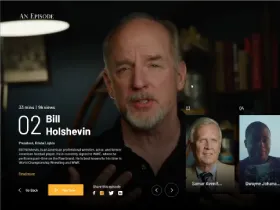
The One
Documentary / OTT
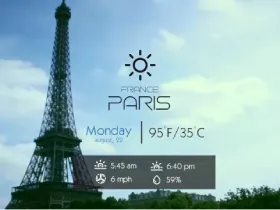
Weather Report
Motion Graphics / Video Edit
Students will become well versed in using adobe illustrator, fluent in using all its tools and features starting from basic to advanced levels. From creating a rough diagram of a concept till completely bringing the concept to life and utilizing it in various forms will be at their finger tips. They will be capable of creating advanced artworks for storybooks, science and engineering textbooks, magazines, newspapers, product manuals, service catalogs and etc.
Besides building their skills to support print, manufacturing, retail and ecommerce industries they would have also developed vector graphics skills to create icons, scalable assets, brochures, pamphlets, flyers, carton boxes, packages, hoardings, tee shirts designs, letterheads, envelopes, CD/DVD covers, social media graphics, web graphics and a lot more. They will be able to optimize output files to match the requirement - depending upon where the illustration is going to be used for digital media like TV, film web and mobile or for static media like print.
Getting an Adobe Illustrator certification from us is a proof of validation that you possess advanced professional expertise and is capable of creating high quality vector graphics in industry-standard software. This certificate exists as a formal letter of recommendation to potential employers, recruiters and clients that you have the technical skills needed to create awesome scalable brand identity systems. This industry wide recognizable certification makes you stand out in a competitive job market, creating immediate credibility regardless of whether you are a fresher to the graphic design industry or adding more feathers to your professional hat.
We provide this certificate only after ensuring that you have mastered essential core tools, advanced features from palettes and menu bars, and is capable of following production ready workflows and document settings. We make you earn this certificate by various hands-on exercises and expert guidance. We do this because it is a more practical skillset and we cannot certify you by conducting an examination for you to pass. This certificate we provide not only highlights your technical capability and creative talent but also opens doors to exciting career opportunities in top creative agencies, design studios, and IT company's marketing departments.
0 – 1 Year
Junior Illustrator| 1.2 to 1.8 lpa
Trace scanned concept logos sketched by senior designers, apply colors and gradients to give clients multiple options.
1 – 3 Years
Senior Illustrator | 1.8 to 5.4 lpa
Ideating and conceptualizing those ideas and drawing rough sketches and converting them into a proper usable artworks.
3 – 6 Years
Concept artist | 5.4 to 9.6 lpa
Understanding client requirements and brainstorming ideas by creating moodboards that align with client's vision and value.
6 - 10+ Years
Art director | 10 to 15 lpa
Being a part of top-level stakeholder discussions analysing about how to present and position the company through visual designs.
Tech Illustrator
2 to 4+ years | 2.4 to 3.6 lpa
Creating front, top, side, bottom, isometric and perspective views of machineries, components and anatomies that sync perfectly.
Environmental Artist
1 to 5+ years | 2.5 to 15 lpa
Creating concept arts that represents a brand to be painted or printed and stuck to decorate the walls.
Layout artist
3 to 6+ years | 3.6 to 9.6 lpa
Prior to editorial designer filling with text, images and highlights, layout artist needs to segregate the columns for faster working.
Floor plan designer
1 to 10+ years | 1.5 to 15 lpa
Creating floor plans for buildings, real estate layouts, stall arrangement for exhibitions instead of using CAD software.
UI/UX Design Lead
18+ years of experience




Yes, in one month you can complete illustrator.
Anybody above the age of 13 can join this course.
Absolutely you can join this course and use your 1 month summer vacation productively.
This course benefits working people than students, as you add a skill to your expertise.
This tool is to make drawing, sketching and painting easier for people who are not good at sketching, so not required.
You can elevate your pitch decks, internal reports and presentations that would impress clients and your managers which will easily get you a project or a promotion.