888 484 0039
 info@halodesignacademy.com
 888 484 0039



Deepak
Flex designer · 8,000 per month

I studied only Photoshop and i got placed as a flex designer in Jeeva Xerox at a salary of ₹8,000 per month. Thank you Halo.


Knowing how to use Photoshop is always an added advantage and will look good in your resume regardless of whether you are a fresher or a working professional. So here we present the most concise and professional Photoshop course that will make you a photoshop expert in just 2 months.
8
Photoshop applications
120+
Students joined so far
4.9
Rated on Google
500+
GB of freebies
Photoshop is just not a photo editing software as it is mostly concieved to be by a lot of people. We can do a lot more than photo editing using Photoshop, like pixel architecture, graphic design, matte painting, texturing for 3D and etc. Photoshop has held its ground still in the creative industry as the leading software for almost 36 years since it was released to the public in 1990 and has survived through several technological changes and challenging eras because of its precise editing capability of raster images that no other rival software can provide. Whether you are trying to launch your career in the creative field or looking to become a social media influencer or wanting to upgrade your skills to match the pace of ever evolving tech landscape this comprehensive course provides exactly what you are looking for-short termed, basic to advanced and affordable.
In this course we just do not teach you the tools and features, we teach you about color modes, non-destructive editing, multi-layer masking, blending modes, layer compositions, automating actions, pre-defining reusable presets, defining brushes, patterns, custom shapes, contours, tool presets, layer styles, color lookup tables and a lot more that will make your work more effecient and easier. Every module we teach, every assignment we give has a real-world application to it. We give complex assignments that need multiple features combined to create a full finished promotional product. By the end of the course you will become an expert in handling complex & professional design workflows to create high-qualty raster graphics for web, print, social media that can be seamlessly edited to fit different aspect ratios.
409
Students Joined
4.9
Rated on Google
20+
Career Options
50+
Hiring Partners
15+
Career Paths
Testimonials
Deepak
Flex designer · 8,000 per month
I studied only Photoshop and i got placed as a flex designer in Jeeva Xerox at a salary of ₹8,000 per month. Thank you Halo.
Mari Selvam
Visual designer · 25,000 per month
As a viscom student i felt my skillset incomplete, so i learnt Photoshop which gave me a huge career boost and salary hike.

Vijay Raman
Graphic Designer · 20,000 per month
For a very long time i was reliant on Illustrator for graphic designing and learning Photoshop additionally elevated my design and career to the next level.


Venkateshwaran
Web Designer & Developer · 33,000 per month
My career felt stuck at a point and to accelerate my growth i learnt Photoshop and it really benefitted me.


Join our course, learn Photoshop in detail from scratch till expert level and reap the benefits in just 2 months.
Unit 01
Applications of Photoshop
Week 01Unit 02
Basics of Photoshop
Week 02Unit 03
Basic Tools of Photoshop
Week 03Unit 04
Editing and Manipulaion Tools
Week 04Unit 05
Creating & Color adjustment tools
Week 05Unit 06
Layers Palette
Week 06Unit 07
Menu bar
Week 07Unit 08
Automation and Animation
Week 08Batch type
Weekdays (Mon – Fri)
Timeslot
Morning (10 am to 11 am)
Batch mode
Offline
Seat Availability
2 out of 6
Batch type
Weekdays (Mon – Fri)
Timeslot
Morning (6 pm to 7 pm)
Batch mode
Offline
Seat Availability
2 out of 6
Batch type
Weekdays (Mon – Fri)
Timeslot
Morning (11 am to 12 noon)
Batch mode
Offline
Seat Availability
2 out of 6

To check a batch date and timeslot that suits you call us on 888 484 0039 or mail us to info@halodesignacademy.com
Be a part of a batch that allows you to discuss your creative thought process with your peers and clear your doubts on the spot. Get immediate feedback about your design from you experienced mentors and better your techniques. Learn through in-class mentor led demonstrations. The direct interaction with your batch mates and instructors simulate corporate work enviraonment and get you prepared for work.
Online courses acts as an ideal solution for working professionals and self-motivated learners. They eliminate commuting time and expense. As online learning requires high self-discipline and independent time management, to balance their family with daily work commitments we have special weekend batches that are 2 hours per day to keep up with the pace of weekday batches.
Book a free trial class by filling the booking form at the start of the page.
Learn photoshop, and become a smooth image magician.
Create a portfolio that showcases your variety of skills in photoshop.
Get certified in editing and compositing raster images that will add another feather to your hat.







The world has passed through several eras of communication—from rock carvings in the Paleolithic period, to books and radios in the last century, to visual-first media over the past twenty years. Learning photoshop lets you grow, build and thrive by using imagery based communication as people find it more easy to understand as well as express. You can create, edit and manipulate pixel perfect raster graphics using which you can build brands, beautify commercial photography, elevate social media graphics and prepare web layouts even. Photoshop provides you industry-standard toolset needed to turn an empty canvas into high-impact visuals.
Even if you are not a professional in creative field, still mastering Photoshop gives you a massive advantage in any working environment. Non-designers, marketers, small business owners and educators can create their own high-quality raster graphics that can be used as promotional flyers, instructional images, academic diagrams, product catalogs, service presetantions, case study books and pitch decks. Knowing how to use layer masks, non-destructive editing, and advanced color grading reduces work load, dependency on design agencies, and ensures your thought process aligns perfectly with the visual communication you want to publish across all print and digital media.
You can do photo editing, album designing, social media graphics as freelancer during your leisure time after college hours and earn some passive income.
Instead of outsourcing the photos you took during events to third party photo editors for retouching and color correction you can become self-reliant and save a lot of your revenue.
Instead of using only coreldraw for all your creative artworks learn photoshop too and mix and match your skillsets to create astounding outputs or upgrade into a graphic designer and get paid higher.
Make every work of yours speak for itself by turning them into awesome raster graphics which will make you stand out from your peers.

Learn photoshop and take your career to unbelievable heights with the miracles that you can do using the king raster graphics and image editing software.
This course focuses on equipping students with a comprehensive, knowledge and mastery of Adobe Photoshop, which lets them turn blank empty canvas into communicating visual arts. Suitable for both aspiring designers and professionals who are looking to take their visual skills to the next level. The curriculum bridges the gap between image editing theory and how to implement it in real-world scenarios. Students will have absolute control in using this digital canvas as a playground for visual poetry. Mastering essential tools, blending modes, non-destructive workflows using smart objects, adjustment layers, and advanced masking techniques will enable them to create stunning visual graphics that sell products at a blink of eyes.
Besides software proficiency, the course aims to cultivate the knowledge of how to setup a document, which size and resolution to use for which purpose, choosing the best color modes & aspect ratio and effecient file optimization based upon where it is going to be used. Learners will gain hands-on experience on several levels of photo editing starting from basic background removal till complex photo restoration and digital makeover. They will also learn about multi-platform asset exporting for web, mobile, and print. By the conclusion of the program, participants will possess technical prowess, with a portfolio full of professional projects that show they can adopt to any demands from clients.
Introduction to raster graphics, interface, welcome screen, file handling, file size, resolution, unit setup, bit depth, color mode and pixel aspect ratio. Layers palette, creating and deleting layers, selecting an area (regular and irregular), filling colors, gradient, history, pattern inside that area, transforming raster objects (moving, resizing, scaling, skewing, rotating, distorting and warping), aligning and spacing multiple objects. Editing and fixing of bad photos, enhancing photos, restoring old and damaged photos, digital makeover. Combining multiple photos to create collages and posters, concept arts, compositing several layers of photos to do out of world photo manipulations.
Basic color correction using dodge, burn and sponge tools. Image enhancement using smudge, blur and sharpen tools. Typography, shape tools, custom shapes, pen tool, curvature pen tool, adding, deleting and converting of anchor points. Direct selection and path selection. Converting path into shape, object, mask and guideline for other tools. Artboard and navigation tools.
Layers palette, duplicating layers, grouping, linking, locking, isolating, hiding, merging and exporting of layers. Layer styles, blending options, color marking layers, converting layers into artboards and frames, copy pasting object attributes and layer styles, converting layers into smart objects, rasterizing layers and layer styles. Blending modes, fill and opacity. Clipping mask, layer mask and vector mask.
File menu - exporting and optimizing of files, reverting of files, file info, layer comps, automation, scripts and batch edit. Edit menu - Content aware scale, content aware move, sky replacement, puppet warp, perspective warp, defining pattern, custom shapes & brushes, color settings, preferences(export, interface, grids, guides & ruler). Image menu - color correction, color grading, color enhancement, color matching, tonal balance, color balance, curves, level, brightness & contrast, hue, saturation, lightness, color lookup, hdr toning, canvas & image resizing and auto coloring. Select menu - expanding, contracting, feathering, smoothing & bordering, spread & similar, saving & loading selection. Layers menu. Text menu - character options, paragraph option, character styles, paragraph styles, font, font size, font color, font style, font weight, line spacing, character spacing, vertical scale, horizontal scale, baseline shift, character rotation, all caps, small caps, superscript, subscript, underline, strikethrough, left margin, right marging, paragraph spacing and text alignment. Filters, View, Window, Actions, Timeline and Automation.
Removing of dust, pimples, sweat, scars and other imperfections on skin or unwanted objects from image and make the image look clean and polished.
Improving pose, skin tone, facial features and physical attributes of subject, using various enhancement tools like dodge tool, smudge tool, patch tool, red eye tool, burn tool and sponge tool.
Restore old, damaged, faded, burnt photos back to normal and fill broken, cracked walls, glasses and other architectural and structural photos of building, construction sites and ruined places.
This applies to both models in fashion photography and products in commercial photography. Adding extra effects, blushes, glows and glitters to make them attractive and appealing.
Selecting pixel by pixel and filling a color inside them to create light weight game assets for mobile and web platform gaming.
Creating compelling promitional raster graphics for small scale to large scale ads, web screens to movie screens, mobiles and tablets, print and social media, indoor and outdoor media.
Treating photoshop workspace as a painting canvas and creating digtal painting that can be used as wall murals, caricatures in magazines and newspapers, backgrounds for 3d movies and etc.
Creating realistic skin, hair, cloth, fabric, leather, organic textures that could be applied to plain white clay models in 3d software to make them look realistic.
Creating brushes, patterns, custom shapes, gradients, layer styles, contours, actions, color lookup tables and scripts that could be used to fasten up design workflows using automation.
Though its outdated, yet still you can use photoshop to create image and icon assets for user interface designing.
Master high-end photo restoration, skin smoothing, pimple, sweat, scar removal, multi-layer complex object compositing with absolute pixel precision.
Learn advanced clipping mask, vector mask, layer mask, blending modes, and smart objects to create out of the world visual compositions.
Create stunning promotional collateral, social media posts, marketing assets, and custom digital artwork for commercial campaigns.
Take overall control of curves, levels, and adjustment layers to convey emotions and moods through colors, balance exposure and match lighting across images.
Export clean, properly sliced, and optimized visual assets, icons, and UI elements ready for seamless handover to web and mobile developers.
Configure precise export presets and color profiles tailored specifically for high-resolution print, web displays, and digital advertising screens.
In core creative industries—such as advertising, publishing and digital media Photoshop still remains as the undisputed operational standard. Design studios and agencies rely heavily on Photoshop to create high-impact promotional collateral for all sorts of medium.
Other than creative industry, Photoshop has become a part and parcel of non-creative industries too as their support drives the rapid growth of e-commerce, digital marketing, corporate communications, real estate, online education and a lot more industries.

Ultimate Football Champoionship
Motion Graphics / Sports Video Package
Badminton Tournament TV Promo
Video Editing / TV Promo ad
The One
Documentary / OTT
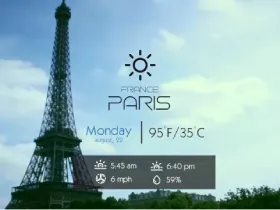
Weather Report
Motion Graphics / Video Edit
When you complete this course, you will have the knowledge of a professional designer in Photoshop. You can create pixel-perfect, eye-popping visuals with speed and technical precision. You will be fully fluent in multiple key features such as blending modes, layer styles, different types of masking, smart objects, complex object selection, adjustment layers and color grading and also know where to implement which feature. Not only you understand software controls, you will also be able to take any complex design brief and change it into a production-ready final output.
You will also complete this course with a strong and deep portfolio that showcases your ability to create designs that match real-world industry standards for both print and digital platforms. You will know how to optimize, compress, and export assets directly from layers and as well as the file as a whole depending upon whether it is going to be used for web interfaces, digital marketing, e-commerce platforms or high-resolution printing. This technical expertise, when combined with a deep understanding of design concepts and principles makes you into a graphic designer, UI/UX asset specialist or freelance designer.
Once you successfully complete attending all theory sessions, submitted all of your assignments and projects without pending, you will receive an industry-recognized certificate that validates your profeciency in Adobe Photoshop. This certificate we provide will serve as an official proof of your technical expertise in raster graphics, non-destructive image editing, photo retouching, and asset creation for web and mobile. As this certificate acts as a strong professional endorsement and adds credibility instantly to your resume you can add it to your Behance portfolio and upload it to your LinkedIn profile.
Beyond validation of your software skills, this certificate in a proof of your readiness to design world-class raster graphics for both digital and print in a professional wor environment. Recruiters and interested clients across the globe from graphic design agencies, e-commerce firms, marketing departments and digital media studios look for candidate credentials before hiring them to check if they have hands-on, project-based training and our certificate backs that claim. Backed by this strong recognition you can confidently pursue a career in creative field, get freelance opportunities because it shows how much more than ready you are to contribute to fast-paced creative teams.
0 – 1 Year
Photo editor | 0.80 to 1.2 lpa
Edit photos and clean up any errors or imperfections in them and present them to the client in a clean polished way.
1 – 3 Years
Photo enhancer | 1.8 to 5.4 lpa
Make raw photos into eye-popping visuals that can be used in advertisments, magazines and newpapers.
3 – 6 Years
Photo restoring artist | 5.4 to 8.4 lpa
Turn burnt or damaged old photos into new recently clicked photos using various restoration tools from photoshop.
6 - 10+ Years
Photo manipulator | 10 to 15 lpa
Combine multiple images into one to visually showcase an out of world concept for advertisements and promo materials.
Album Designer
0 to 1+ years | 1.4 to 2.4 lpa
Placing event photos in templatized album designs and compile them to create a print ready photo album.
Asset creator
2 to 5+ years | 2.5 to 5 lpa
Create image assets and icons that match the brand guidelines for websites and apps of companies.
Visual designer
1 to 10+ years | 1.8 to 9.6 lpa
Designing web banners, social media posts, print promotional collaterals, product images for ecommerce.
Digial painter
2 to 15+ years | 3.6 to 25 lpa
Creating caricatures for magazines and newspapers, designing wall murals, environmental designs to decorate and set the vibe in corporate offices.
UI/UX Design Lead
18+ years of experience




It may look like just one software from the outside, but when you deep dive into it you will know how vast is photoshop. By the time you get hold of the layers concept itself a week will be gone. There is a total of 72 tools in the tool box alone and on an average even if we complete 4 tools per day including options under each tool 18 days are gone. Then there are 10 layer styles with bevel and emboss being the biggest, 27 blending modes, 5 types of masking which will solidly take 7 days to complete. We have got 9 menu items with edit and image having the longest list of options, which will take 14 days to complete. Besides that you have got assignments which will also take up your days. So 2 months is the optimum period to learn photoshop.
Canva makes designing easier for non-designers, there is no doubt in it - yet you will be called as a canva designer and not a professional designer. Everybody is carrying a camera in their phones and are clicking pictures and taking videos, does that make them a professional photographer or a cinematographer? Never. Same way designing using the templates given in canva will not make you a professional designer. A person who is able to create these assets and templates and unconventional thinker who can create out of the box designs and vary according to the client and the narrative they are trying to tell in terms of their brand and brand value is considered a professional graphic designer bu companies and corporates.
We provide you systems to practice here and you need not buy any laptop. Yet if you need to buy a laptop for using photoshop buy a laptop with the following configuration. i5 processor (10th gen), 8gb ram, 4 gb graphic card, 256 gb ssd and 1 tb hdd. The above suggested configuration is the minimum requirement to run photoshop smoothly for atleast 5+ years depending upon your usage and file size. If you need better performance and longevity you can go for higher configuration.
Regardless of which company you are working for, which industry you are in or what your profile is you will need photoshop expertise. In your work you will have to create presentations, pitch decks, process pipelines, product photos, service or manufacturing photos and a lot more. If you are going to create all of the above in clean polished way that looks professional and not amateurish you can impress and win over clients easily.
Yes you can start doing freelancing once you complete this course. You can do photo editing, photo compositing, photo manipulation, album designing, digital makeover, photo restoration as a freelancer.
You can use AI to clean up photos but you cannot use them in websites because AI detectors in search engines will flag your images. Also AI will clean up your images but will not give it in high-resolution print quality. So it is better to learn and use photoshop.